Options
Introduction
This is the System application settings. It can be set as Global or Personal Setting.
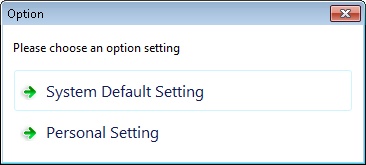
System Default Setting
This is the setting is set and will apply to all user.
-
Fields name and properties:
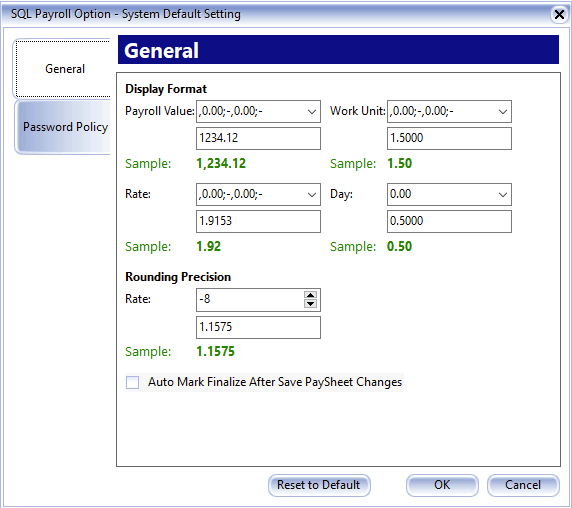
- Payroll Value : Is set to how many decimal point to show Amount Column (Default is 2 Decimal Point).
- Work Unit : Is to set how many decimal point to show at the Work Unit Column (Default is 2 Decimal Point).
- Rate : Is to set how many decimal point to show at the Rate Column (Default is 2 Decimal Point).
- Day : Is to set how many decimal point to show at the Day Column for Leave Application (Default is 2 Decimal Point).
- Rate Rounding Precision : Is to set how many decimal point to keep for Rate Column (Default is 8 Decimal Point).
-
Auto Mark Finalize After Save PaySheet Changes. Tick this option is wanted system to put indicator which employee you had done at PaySheet.
-
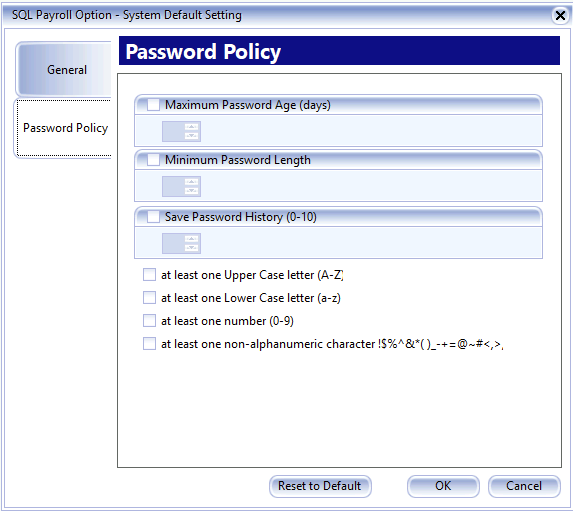
You can choose the following password requirement:
- Maximum Password Age (days): Number of days to expire and change password.
- Minimum Password Length: Password length cannot less than the minimum.
- Save Password History (0-10): Number of password history not allow to re-use
- Password combination of
- At least one Upper Case letter (A-Z)
- At least one Lower Case letter (a-z)
- At least one number (0-9)
- At least one non-alphanumeric character !$%^&*()_-+=@~#<,>.
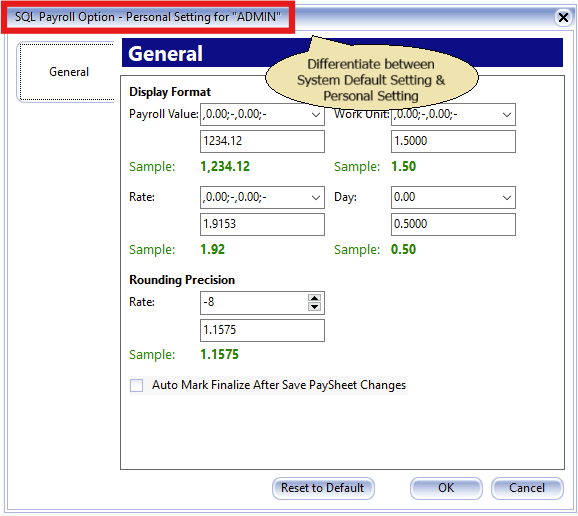
Personal Setting
These settings apply only to the currently logged-in user.