Report
List of Reports
| Report | Description |
|---|---|
| Print Cheque Listing Report | Help you to generate the individual pay amount for banker |
| Print Coinage Report | Help you to count the number of money papers/coins required for the pay amount |
| Print Credit Bank Report | Help you to generate the individual pay amount via Direct Transfer service |
| Print Pay Slip | Enable to generate the pay slip for the employees selected |
| Print Payroll Summary | Help you to analyse the payroll for a month like wages, claims, unpaid leave, allowance, etc |
| Print Yearly Individual Report | You able to choose the employee to view the detail 12 months payroll |
| Print Yearly Payroll Report | Generate 12 months payroll for individual employees |
| Statutory Reports | You able to generate the government reports, such as EPF Borang A, Income Tax EA, Sosco Borang 8A, etc |
EA Form
Print EA Form
-
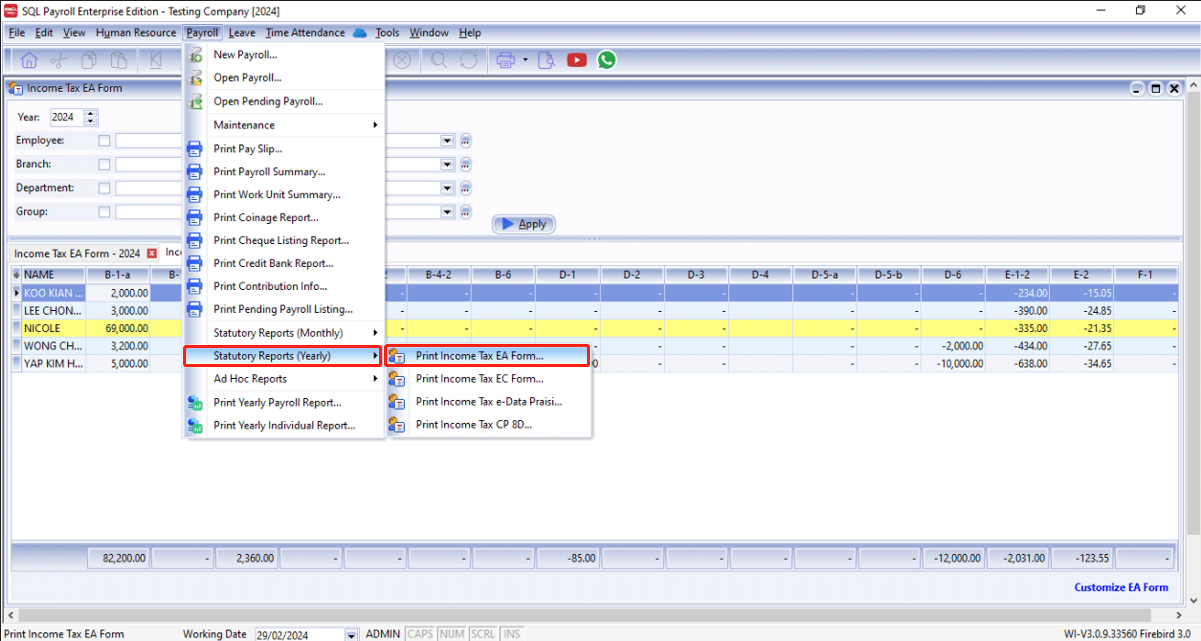
Navigate to Payroll > Statutary Reports (Yearly) > Print Income Tax EA Form..
-
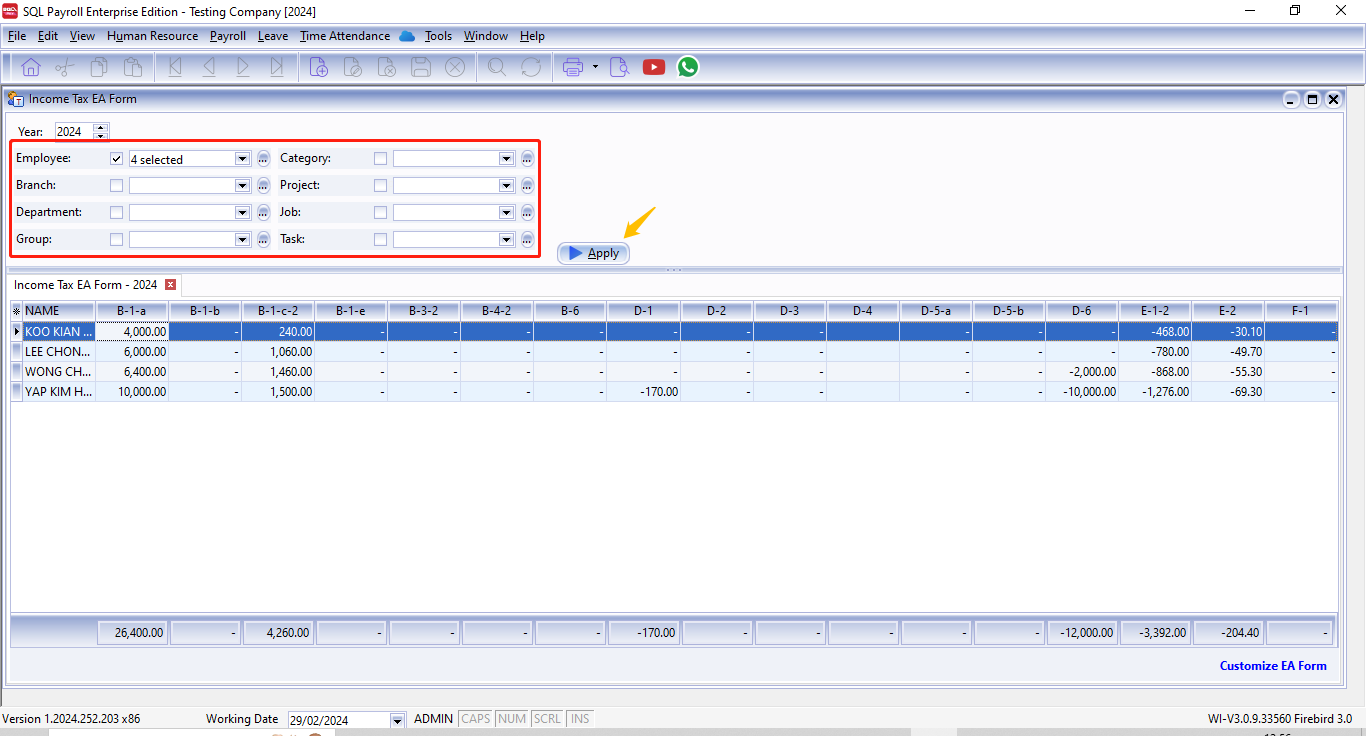
Fill in the details in red box and click ▶️Apply
-
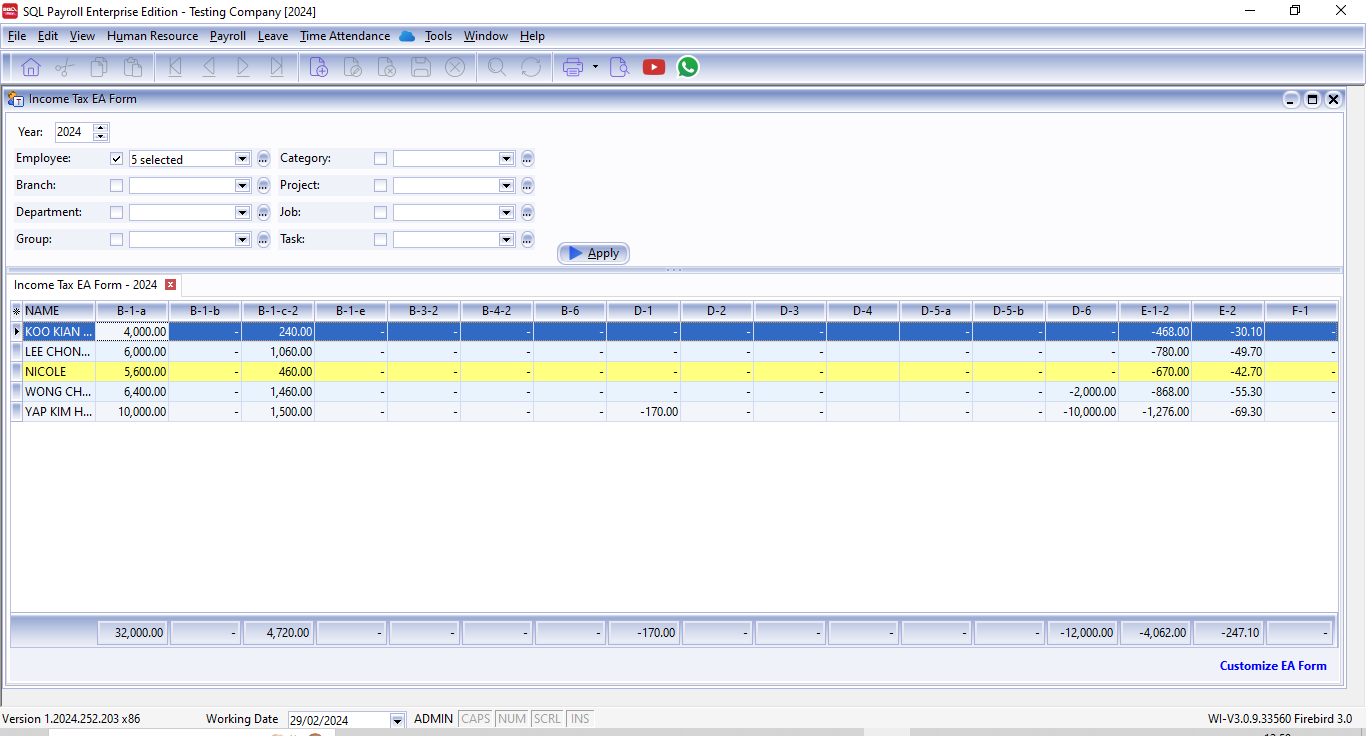
After the above steps, you will see the details of each employees
CustomizationIn SQL Payroll, we do support amending employee EA Form details before printing. For instructions, see Customize EA Form.
-
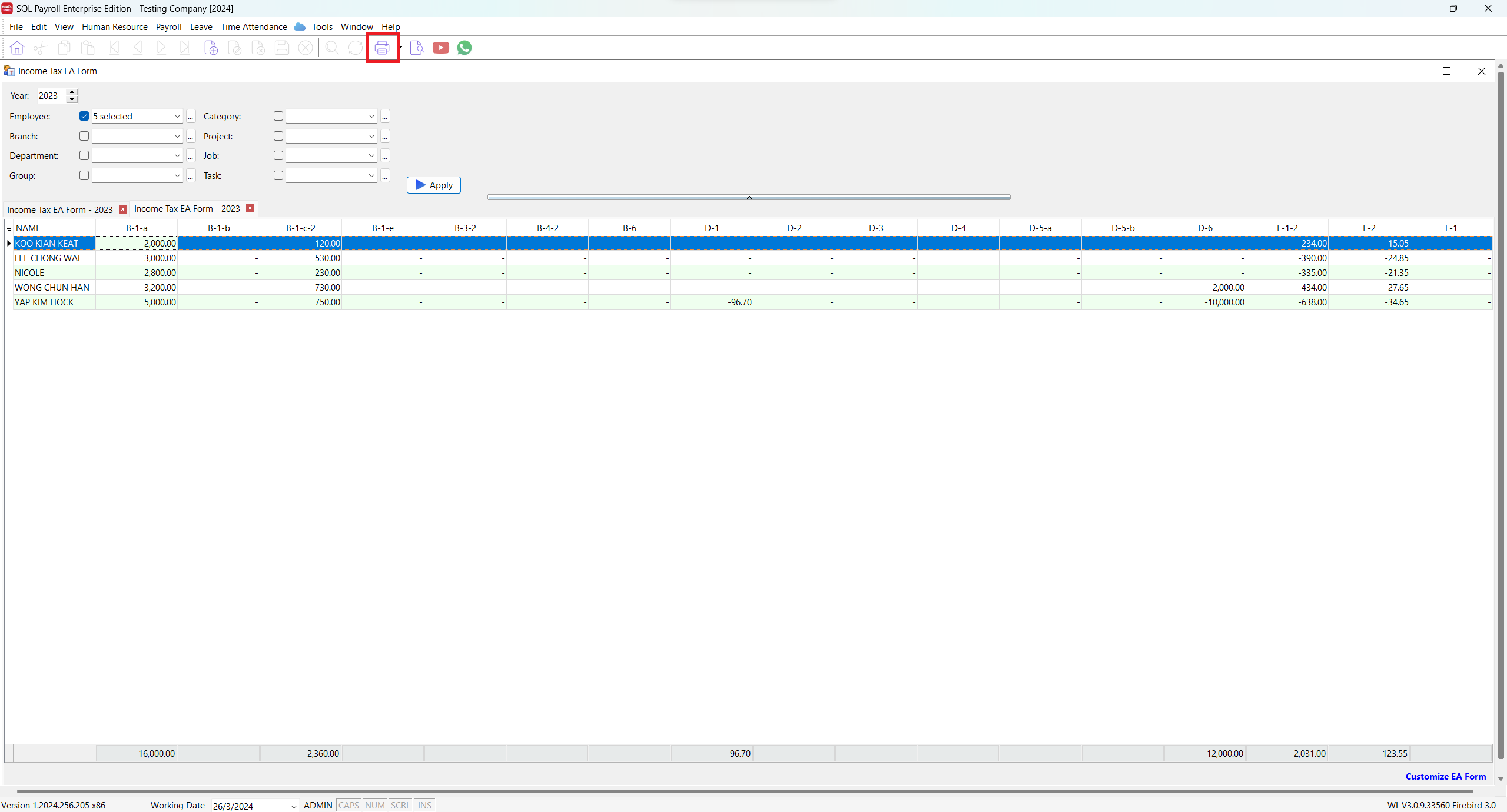
Click on the Print button
-
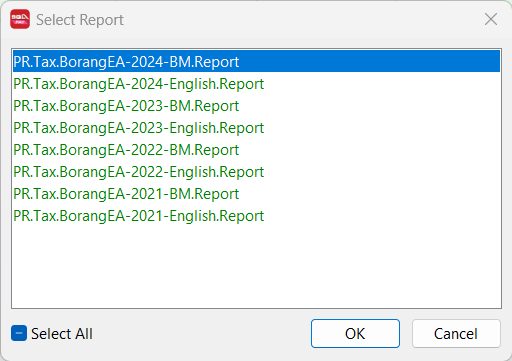
Lastly, select the EA Form report you wish to print
Customize EA Form
Jump to step 3 if you are coming from the Print EA Form section
-
Navigate to Payroll > Statutary Reports (Yearly) > Print Income Tax EA Form..
-
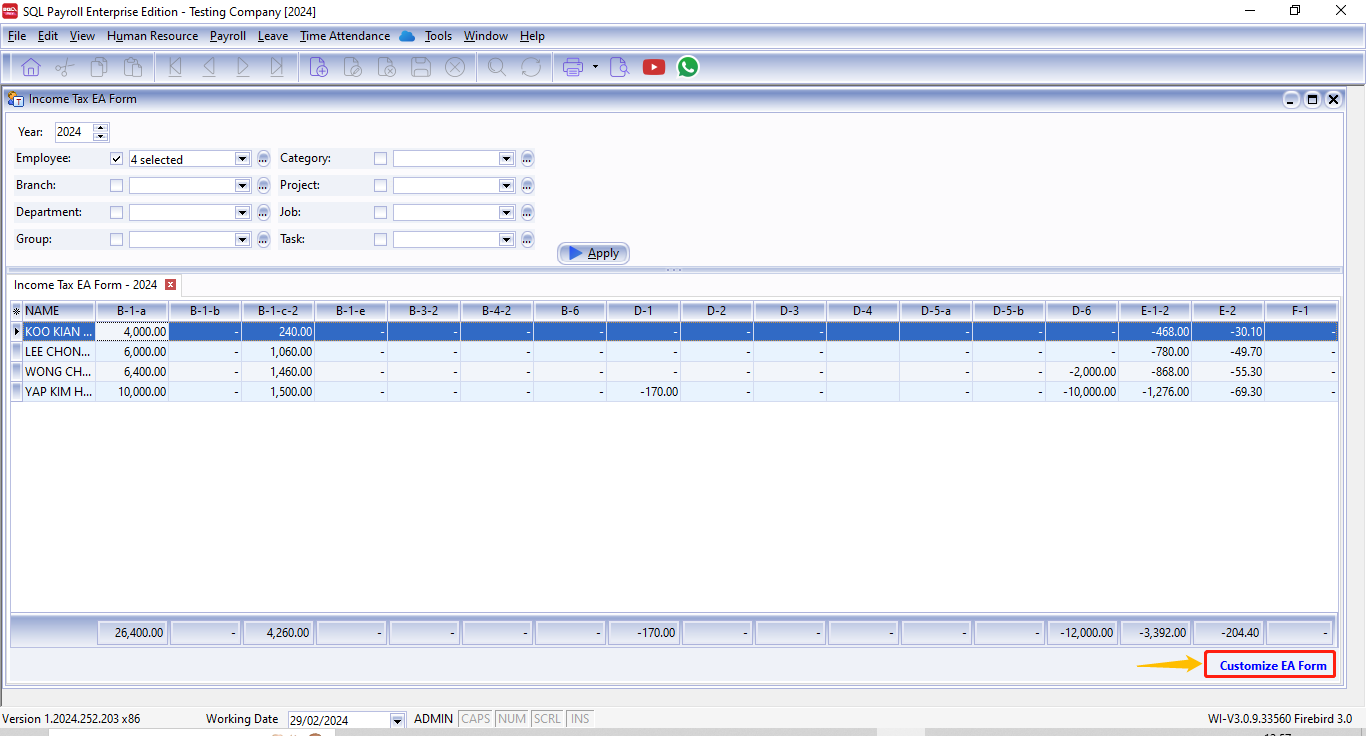
fill in the details and click ▶️Apply
-
Click on the text Customize EA Form at your bottom right
-
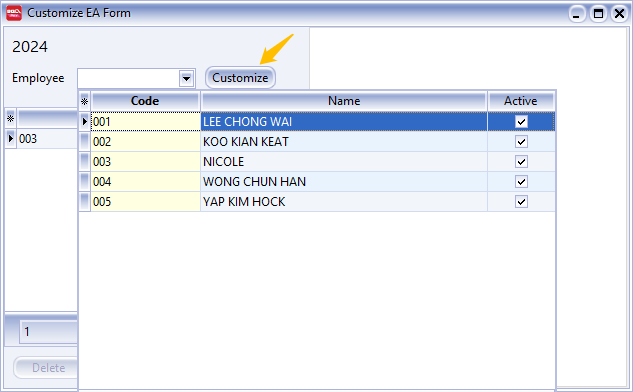
Select the employee to amend and click Customize
-
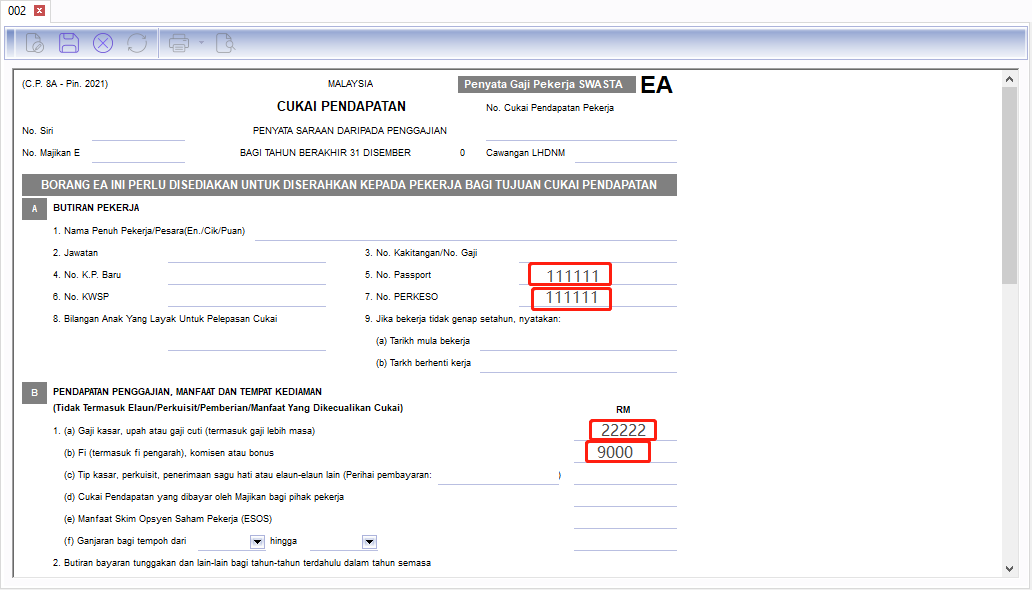
Fill in the details you wish to amend and click Save ( diskette 💾)
-
Amended employee will be highlighted in yellow colour 🟡.