Setup
Maintain Employee
When a new employee joins the company, use the Maintain Employee section to enter their details.
-
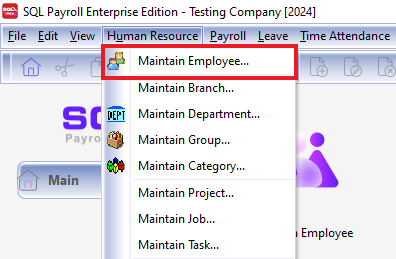
Navigate to the Maintain Employee panel.
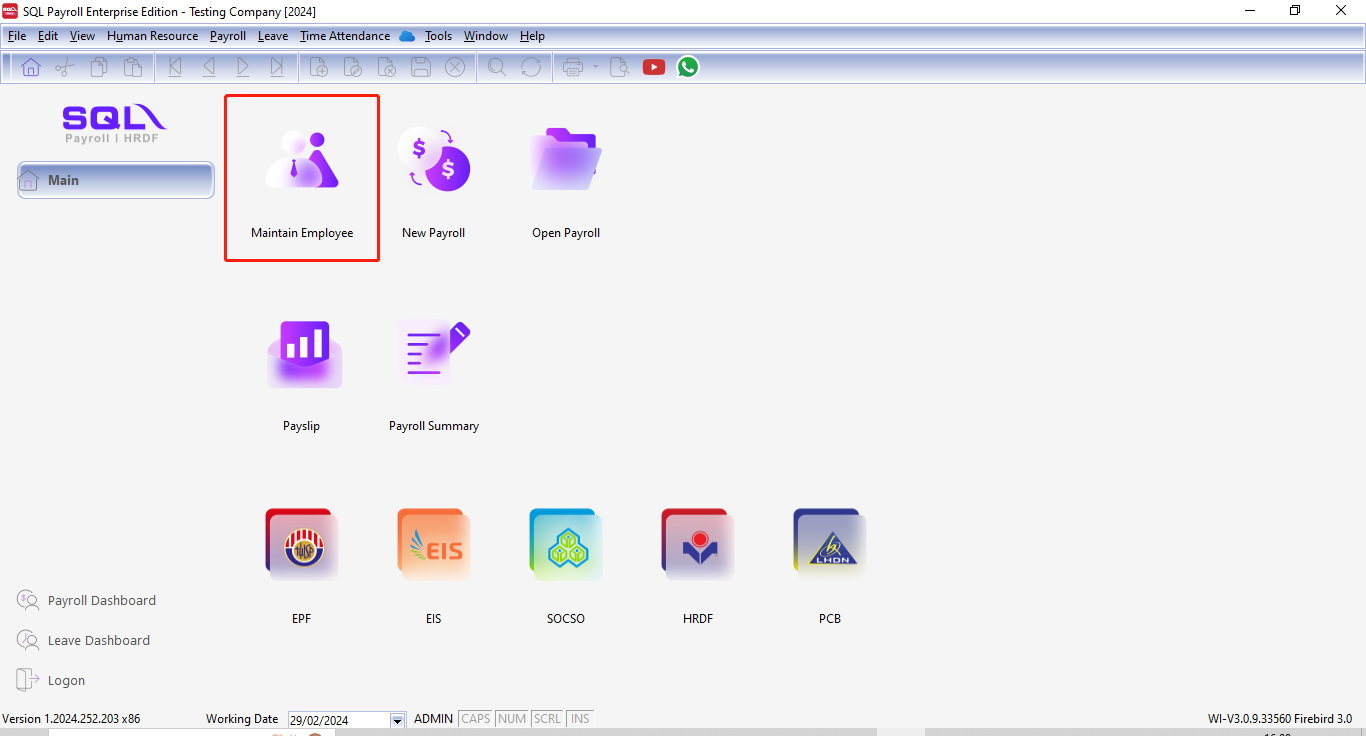
OR Click on "Maintain Employee" on the home page
-
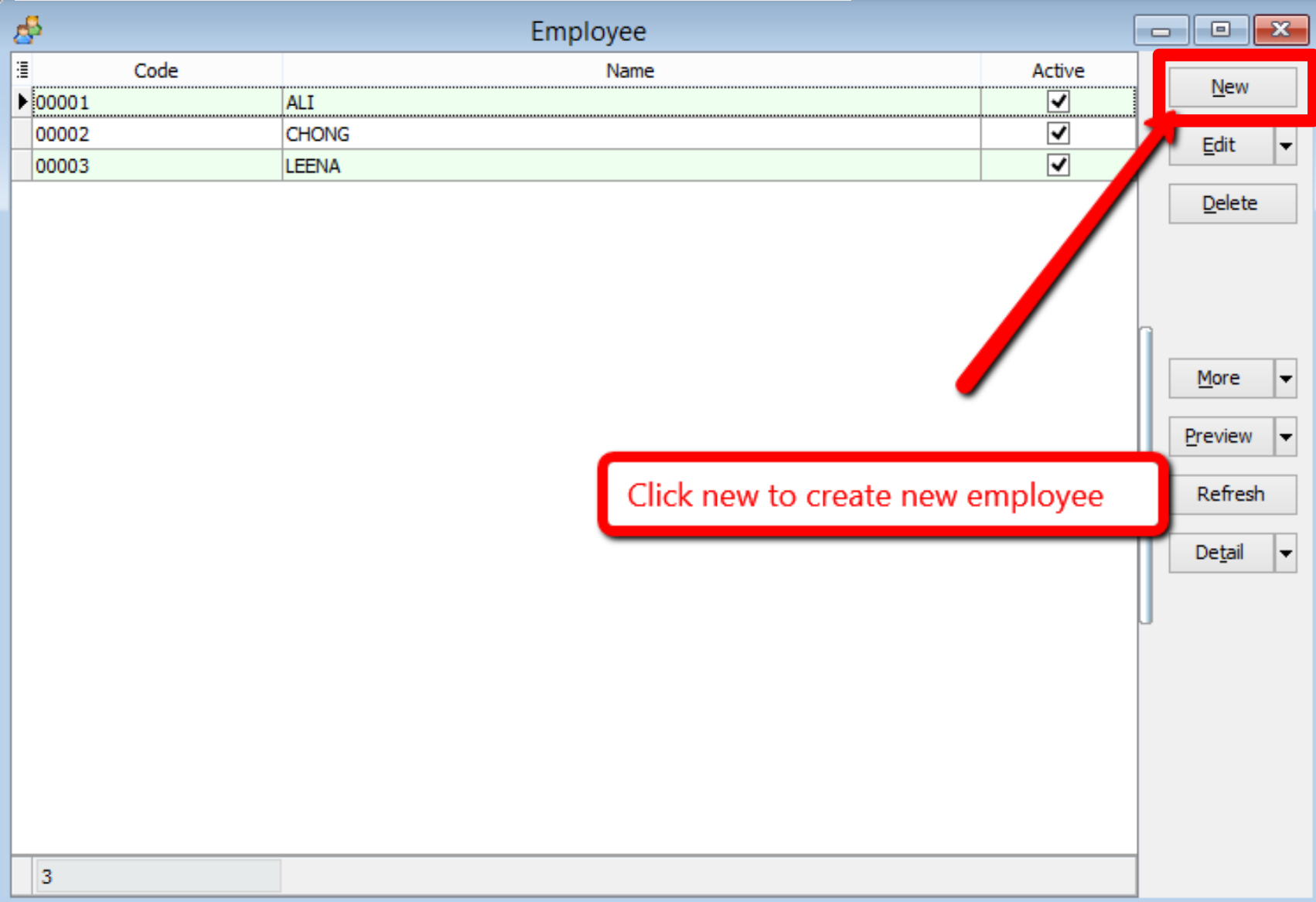
Click New to create a new employee.
-
Enter the employee’s personal details.
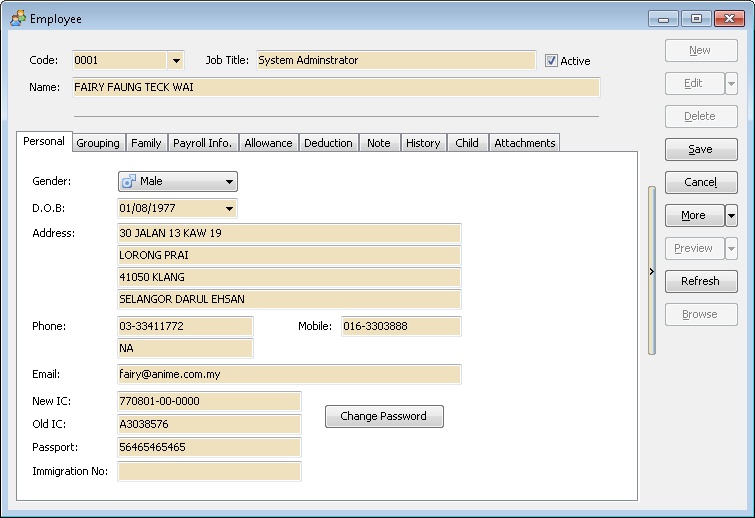
Personal
Click the Change Password button and enter a password to allow the employee to log in and view their payroll data and reports. Remember to uncheck the Active checkbox for any employee who has resigned before processing the payroll.
| Field Name | Properties |
|---|---|
| Code | Definition: Employee code |
| Field Type: Alphanumerical | |
| Length: 30 | |
| Job Title | Definition: Employee Job Title |
| Field Type: Alphanumerical | |
| Length: 60 | |
| Name | Definition: Full Employee Name |
| Field Type: Alphanumerical | |
| Length: 160 | |
| Active | Definition: Unchecked if the selected employee is resigned. |
| Field Type: Boolean | |
| Gender | Definition: The employee Sex |
| Data Options: Male or Female | |
| D.O.B | Definition: The employee Date of Birth |
| Field Type: Date (dd/MM/YYYY) | |
| Address | Definition: Employee Correspondence Address |
| Field Type: Alphanumerical | |
| Length: 60 (for Each Line) | |
| Phone | Definition: Employee Correspondence Phone Number |
| Field Type: Alphanumerical | |
| Length: 20 (for Each Line) | |
| Mobile | Definition: Employee Handphone Number |
| Field Type: Alphanumerical | |
| Length: 20 | |
| Definition: Employee E-Mail Address | |
| Field Type: Alphanumerical | |
| Length: 60 | |
| New IC | Definition: Employee New Identity Card Number |
| Field Type: Numerical | |
| Length: 20 (XXXXXX-XX-XXXX) | |
| Old IC | Definition: Employee Old Identity Card Number |
| Field Type: Alphanumerical | |
| Length: 20 | |
| Passport | Definition: Employee Passport Number |
| Field Type: Alphanumerical | |
| Length: 20 | |
| Immigration No | Definition: Employee Immigration Number |
| Field Type: Alphanumerical | |
| Length: 20 | |
| Change Password | Definition: A password for Employee so he/she can self login to print his/her report (Eg EA, payslip, etc) |
| Field Type: Alphanumerical |
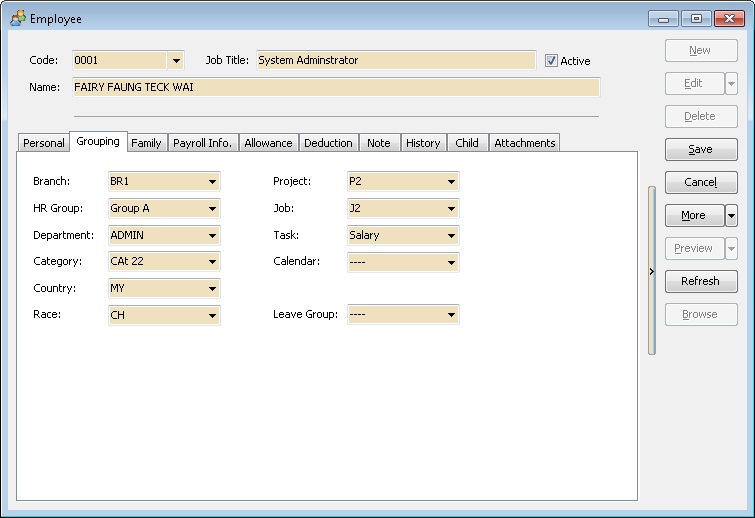
Grouping
This tab is used for report grouping for the selected employee. It can be organized by:
Family
This tab is used to store spouse/family information. It is useful for emergency contact purposes.
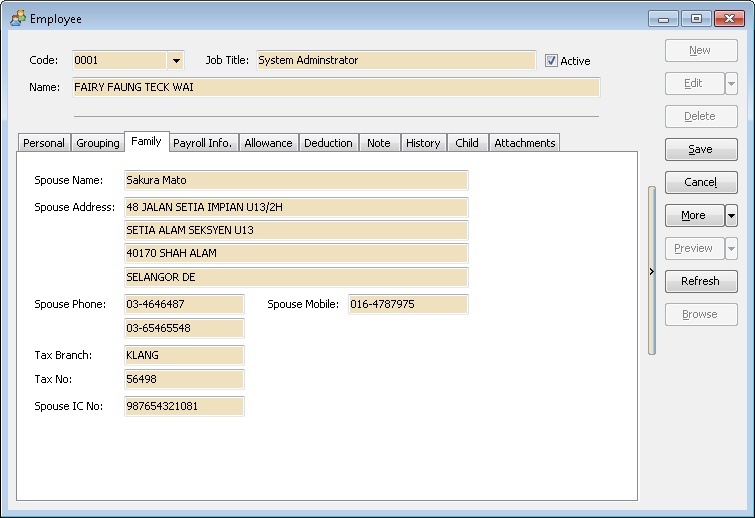
| Field Name | Properties |
|---|---|
| Spouse Name | Definition: Employee husband/wife full name |
| Field Type: Alphanumerical | |
| Length: 160 | |
| Spouse Address | Definition: Employee husband/wife Correspondence Address |
| Field Type: Alphanumerical | |
| Length: 60 (for Each Line) | |
| Spouse Phone | Definition: Employee husband/wife Correspondence Phone Number |
| Field Type: Alphanumerical | |
| Length: 20 (for Each Line) | |
| Spouse Mobile | Definition: Employee husband/wife Handphone Number |
| Field Type: Alphanumerical | |
| Length: 20 | |
| Tax Branch | Definition: Employee husband/wife Tax Branch |
| Field Type: Alphanumerical | |
| Length: 40 | |
| Tax No | Definition: Employee husband/wife Tax Number |
| Field Type: Alphanumerical | |
| Length: 20 | |
| Spouse IC No | Definition: Employee husband/wife New Identity Card Number |
| Field Type: Alphanumerical | |
| Length: 20 |
Payroll Info
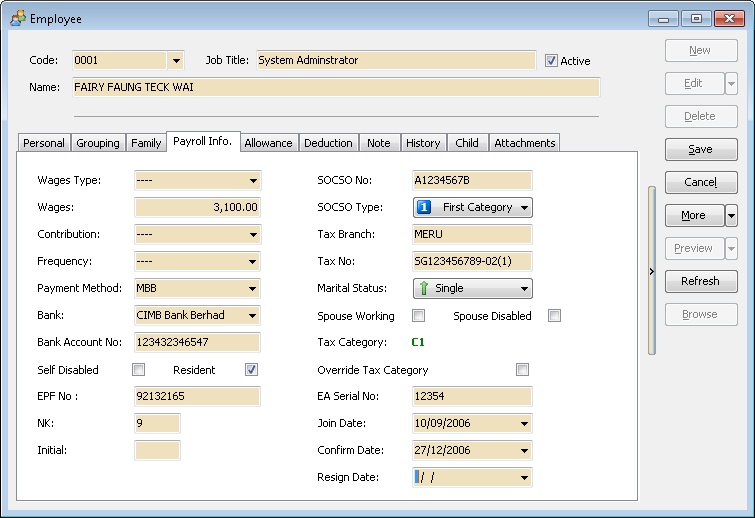
| Field Name | Properties | Field Name | Properties |
|---|---|---|---|
| Wages Type | Definition: Employee Wages Category Type | SOCSO No | Definition: Employee SOCSO Number |
| Field Type: Alphanumerical | |||
| Length: 20 | |||
| Wages | Definition: Employee wages amount | SOCSO Type | Definition: Employee SOCSO Category |
| Field Type: Numerical | Data Options: First Category, Second Category or No SOCSO | ||
| Contribution | Definition: Employee Contribution Type | Tax Branch | Definition: Employee Tax Branch |
| Field Type: Alphanumerical | |||
| Length: 40 | |||
| Frequency | Definition: Employee payment Frequency | Tax No | Definition: Employee Tax Number |
| Field Type: Alphanumerical | |||
| Length: 20 | |||
| Payment Method | Definition: Employer Payment Method | Marital Status | Definition: Employee marriage status |
| Data Options: Single, Married, Divorced or Widow | |||
| Bank | Definition: Employee Bank | Spouse Working | Definition: Tick if the Employee husband/wife is working |
| Field Type: Boolean | |||
| Bank Account No | Definition: Employee Bank Account Number | Spouse Disabled | Definition: Tick if the Employee husband/wife is disable person |
| Field Type: Alphanumerical | Field Type: Boolean | ||
| Length: 20 | |||
| Self Disabled | Definition: Tick if the Employee is disable person | Tax Category | Definition: Employee Tax Category. Only can select if Override Tax Category is Tick. |
| Field Type: Boolean | |||
| Resident | Definition: Untick if the Employee Foreigner | Override Tax Category | Definition: Tick if don't wanted System Automatic Calculate the Employee Tax Category |
| Field Type: Boolean | Field Type: Boolean | ||
| Non-Resident requirement and tax rate, refer to Non-Resident | |||
| EPF No | Definition: Employee EPF(KWSP) Number | EA Serial No | Definition: Employee EA Serial Number (Given by LHDN Department) |
| Field Type: Alphanumerical | Field Type: Alphanumerical | ||
| Length: 20 | Length: 8 | ||
| NK | Definition: Employee NK Code (can be seen on EPF Borang A) | Join Date | Definition: Employee Join the Company Date |
| Field Type: Alphanumerical | Field Type: Date (dd/MM/yyyy) | ||
| Length: 1 | |||
| Initial | Definition: Employee Initial Code (Given by EPF Department) | Confirm Date | Definition: Employee Confirmation Date |
| Field Type: Alphanumerical | Field Type: Date (dd/MM/yyyy) | ||
| Length: 3 | |||
| Resign Date | Definition: Employee Resign Date | ||
| Field Type: Date (dd/MM/yyyy) |
Allowance
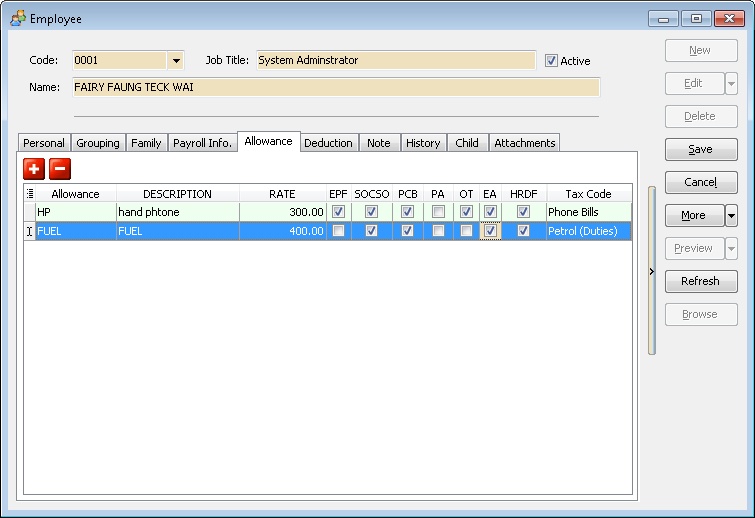
Use this tab to enter the Fixed Allowance entitled for each month for the selected employee.
Deduction
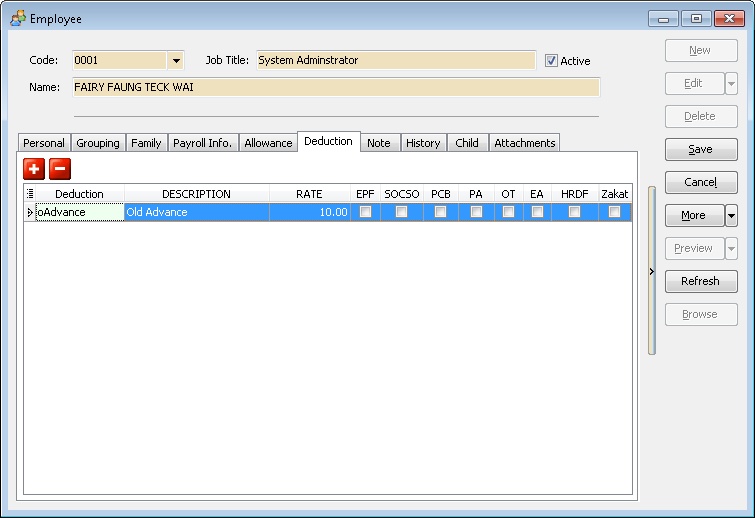
Use this tab to enter the Fixed Deduction entitled for each month for the selected employee.
Note
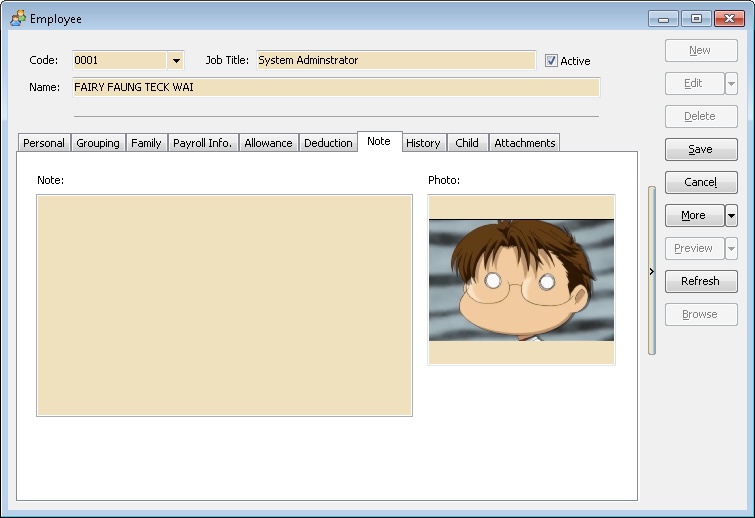
Use this tab to upload a photo and other information for the selected employee. For the photo, please ensure:
- It is saved as a JPEG file.
- The JPEG file size is under 200KB.
History
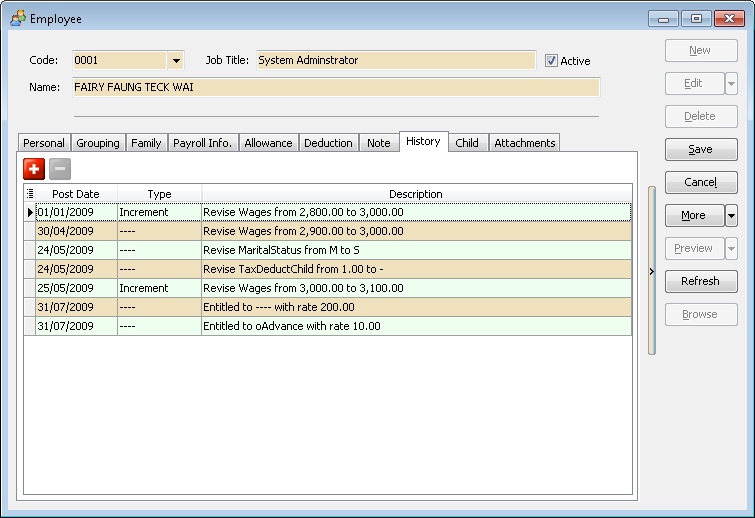
This tab shows the history of changes for the selected employee. Select "Increment" in the type column to print the Increment Letter (HR.Employee.Increment.Report).
| Field Name | Properties |
|---|---|
| Post Date | Definition: Date of the data changes |
| Field Type: Date | |
| Type | Definition: Changes History Type |
| Description | Definition: Detail of Data changes |
Child
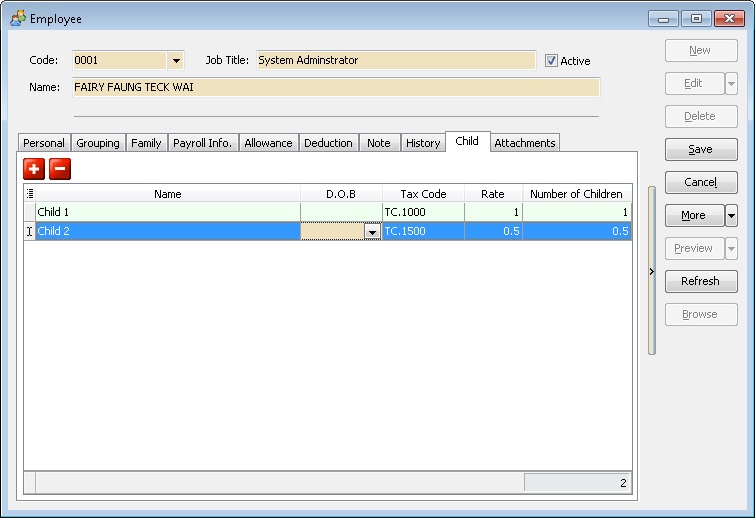
This tab lists all tax-deductible children.
| Field Name | Properties |
|---|---|
| Name | Definition: Employee Tax Deductable Children full name |
| Field Type: Alphanumerical | |
| Length: 160 | |
| D.O.B. | Definition: Employee Tax Deductable Children date of birth. |
| Field Type: Date (dd/MM/yyyy) | |
| Data Option: Optional (i.e. may leave it empty if don't wanted system calculate the Children Age) | |
| Tax Code | Definition: Tax Deductable Children code. |
| Rate | Definition: Rate for Tax Deductable |
| Field Type: Numerical | |
| Data Options: 1 or 0.5 | |
| Number of Children | Definition: Number of Children is use for Tax Calculation. (Auto Calculate) |
Attachments
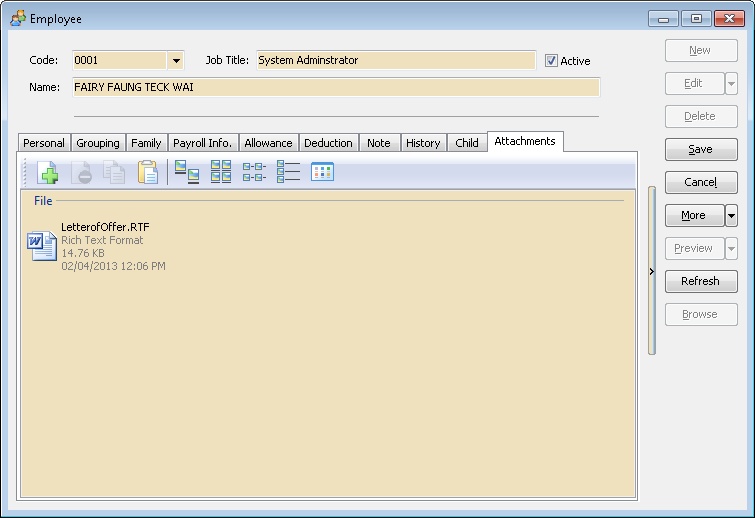
Attach files related to the selected employee (e.g., Letter of Offer). Ensure the file is stored on the server, as the system only stores the file path.
Maintain Branch
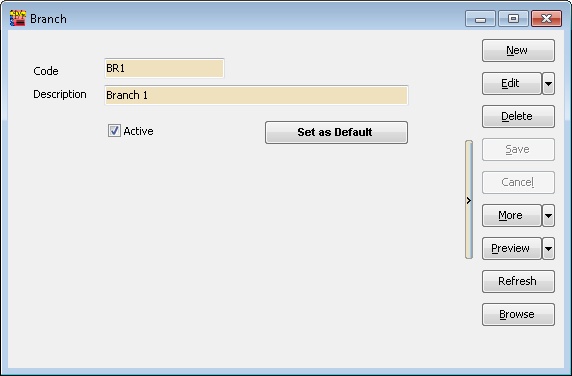
This is useful for companies with multiple branches where the salary is paid from HQ.
| Field Name | Properties |
|---|---|
| Code | A Branch Code (Max 20 Characters) |
| Description | A Full Description for Branch (Max 160 Characters) |
| Active | Uncheck if the selected branch code is unavailable |
| Set as Default | Click this button to automatically assign this Branch Code when creating a new employee at Maintain Employee |
Maintain Department
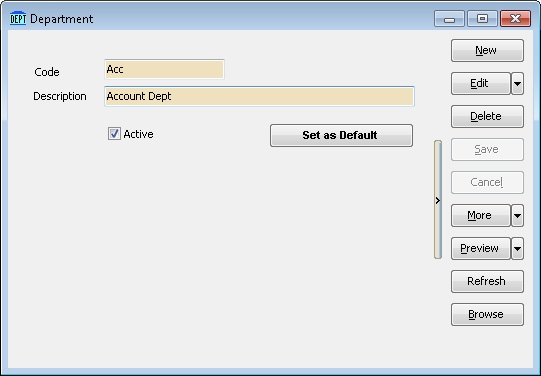
A division of an organization, such as Accounts, Marketing, etc.
| Field Name | Properties |
|---|---|
| Code | A Department Code (Max 20 Characters) |
| Description | A Full Description for Department (Max 160 Characters) |
| Active | Uncheck if the selected Department code is unavailable |
| Set as Default | Click this button to automatically assign this Department Code when creating a new employee at Maintain Employee |
Maintain Group
Another method for grouping employees in reports.
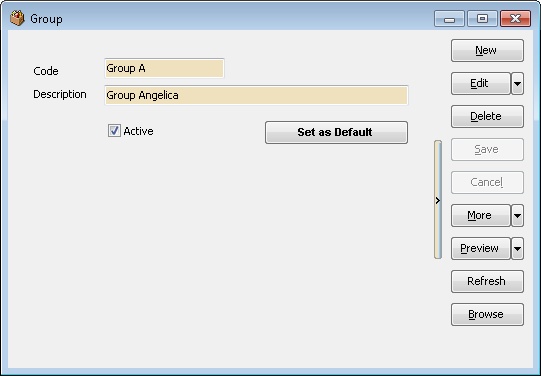
| Field Name | Properties |
|---|---|
| Code | A Group Code (Max 20 Characters) |
| Description | A Full Description for Group (Max 160 Characters) |
| Active | Uncheck if the selected Group code is unavailable |
| Set as Default | Click this button to automatically assign this Group Code when creating a new employee at Maintain Employee |
Maintain Category
Divide employees by class or division.
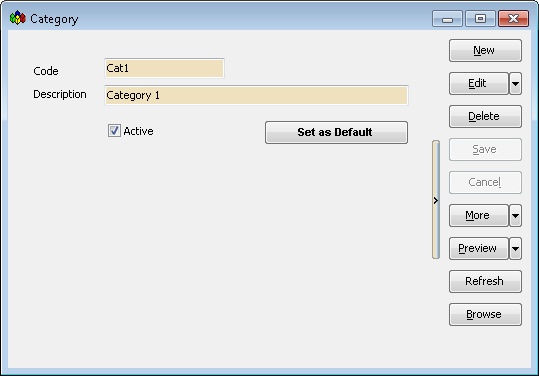
| Field Name | Properties |
|---|---|
| Code | A Category Code (Max 20 Characters) |
| Description | A Full Description for Category (Max 160 Characters) |
| Active | Uncheck if the selected Category Code is unavailable |
| Set as Default | Click this button to automatically assign this Category Code when creating a new employee at Maintain Employee |
Maintain Project
Group employees by the project they are working on.
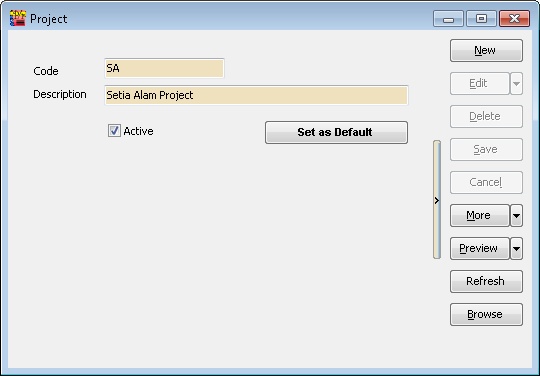
| Field Name | Properties |
|---|---|
| Code | A Project Code (Max 20 Characters) |
| Description | A Full Description for Project (Max 160 Characters) |
| Active | Uncheck if the selected Project Code is unavailable |
| Set as Default | Click this button to automatically assign this Project Code when creating a new employee at Maintain Employee |
Maintain Job
Group employees by job type for reporting.
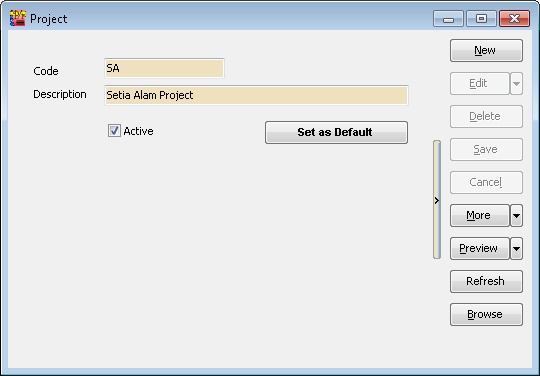
| Field Name | Properties |
|---|---|
| Code | A Job Code (Max 20 Characters) |
| Description | A Full Description for Job (Max 160 Characters) |
| Active | Uncheck if the selected Job Code is unavailable |
| Set as Default | Click this button to automatically assign this Job Code when creating a new employee at Maintain Employee |
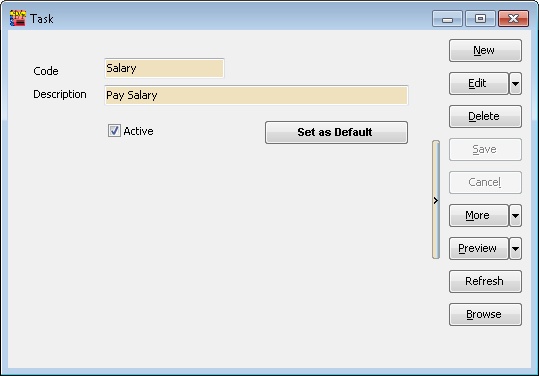
Maintain Task
Divide employees by specific tasks.
| Field Name | Properties |
|---|---|
| Code | A Project Code (Max 20 Characters) |
| Description | A Full Description for Task (Max 160 Characters) |
| Active | Uncheck if the selected Task Code is unavailable |
| Set as Default | Click this button to automatically assign this Task Code when creating a new employee at Maintain Employee |
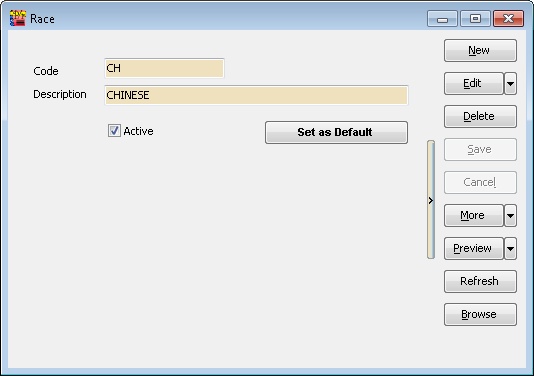
Maintain Race
Group employees by race for reporting.
| Field Name | Properties |
|---|---|
| Code | A Race Code (Max 20 Characters) |
| Description | A Full Description for Race (Max 160 Characters) |
| Active | Uncheck if the selected Race Code is unavailable |
| Set as Default | Click this button to automatically assign this Race Code when creating a new employee at Maintain Employee |
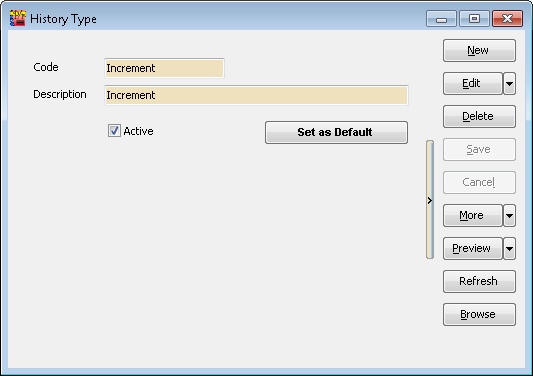
Maintain History Type
Allows users to group changes made in Maintain Employee.
| Field Name | Properties |
|---|---|
| Code | A History Type Code (Max 20 Characters) |
| Description | A Full Description for History Type (Max 160 Characters) |
| Active | Uncheck if the selected History Type Code is unavailable |
| Set as Default | Click this button to automatically assign this History Type Code when making new changes at Maintain Employee |
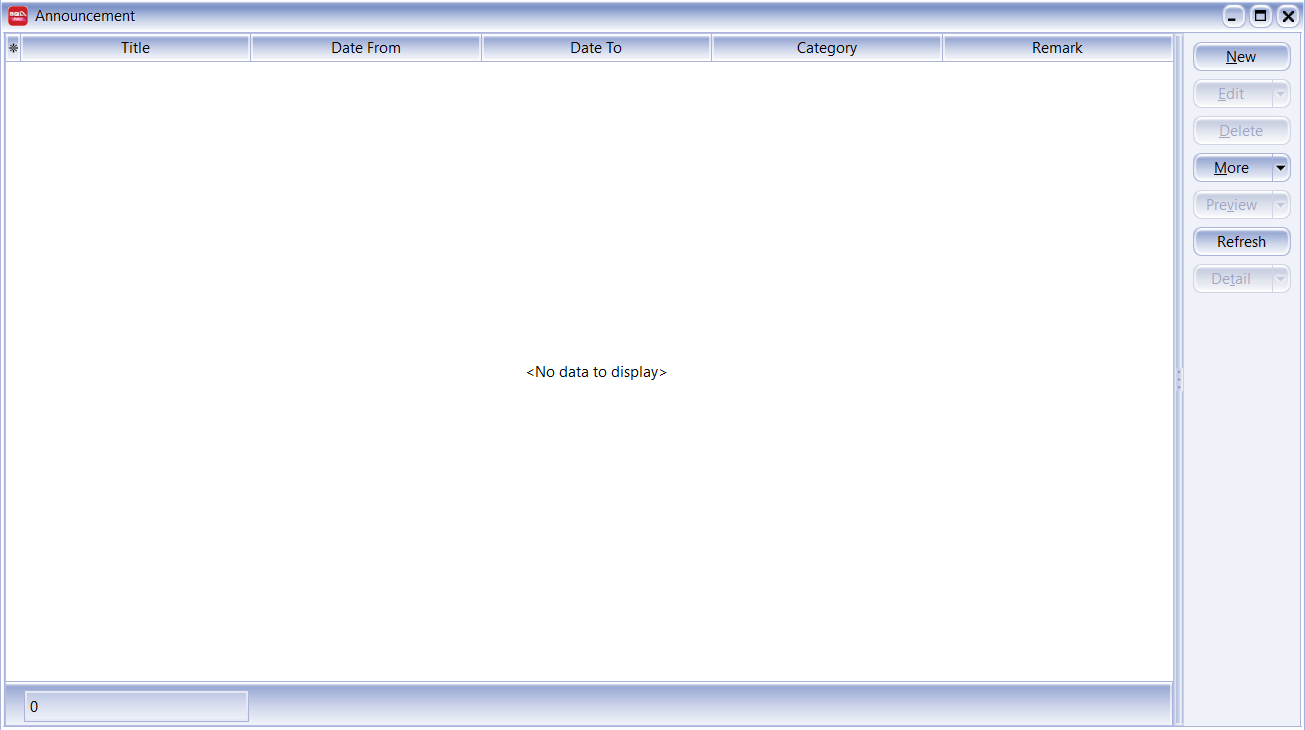
Maintain Announcement
Used to create, manage, and distribute company-wide or employee-specific announcements within the payroll and HR system, allowing users to share information, updates, or important reminders with their team.
| Field Name | Properties |
|---|---|
| Title | The title or subject of the announcement. |
| Date From | The start date when the announcement becomes active. |
| Date To | The end date when the announcement expires or becomes inactive. |
| Category | The classification or type of announcement (e.g., General, System Update, Event). |
| Remark | Additional notes or comments related to the announcement. |
Print History Listing
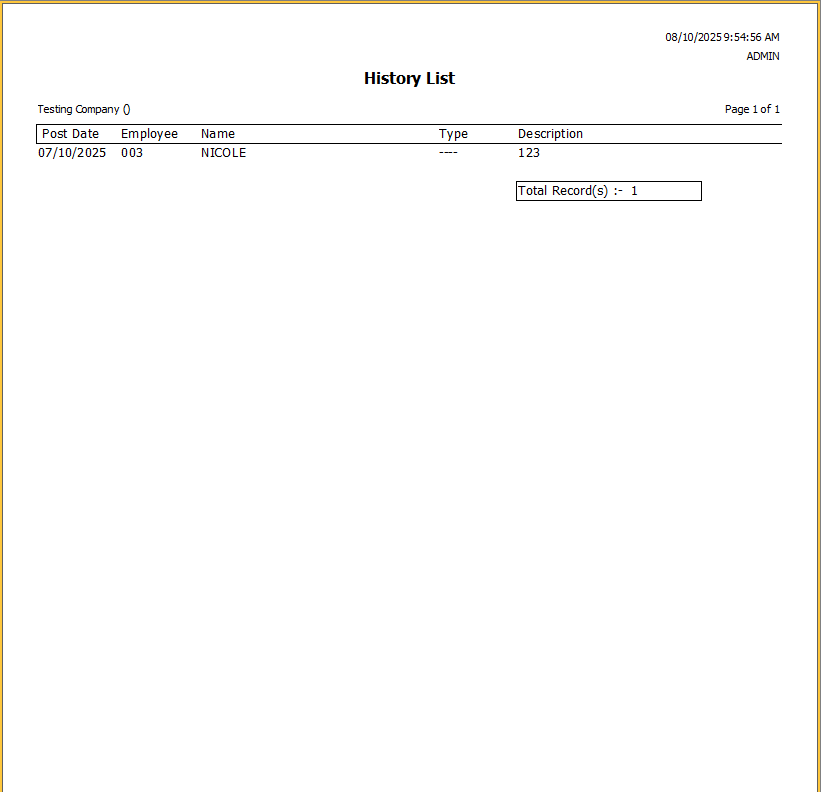
This provides a comprehensive record of all past history types for employees. You can filter, sort, and group employees using the fields below.
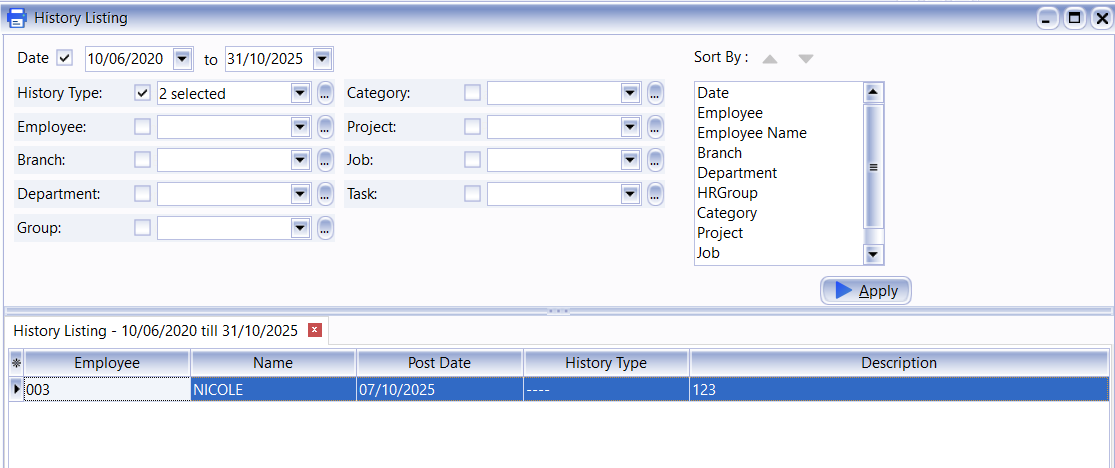
This is how the generated report will look: